Tiny Jukebox

RFID-controlled music box for children: put a tag (a disc, a figure, a card – anything with an RFID chip) on the box, and the linked album continues where it stopped last time. The tag is only ever read, never written; the UID is all that counts.
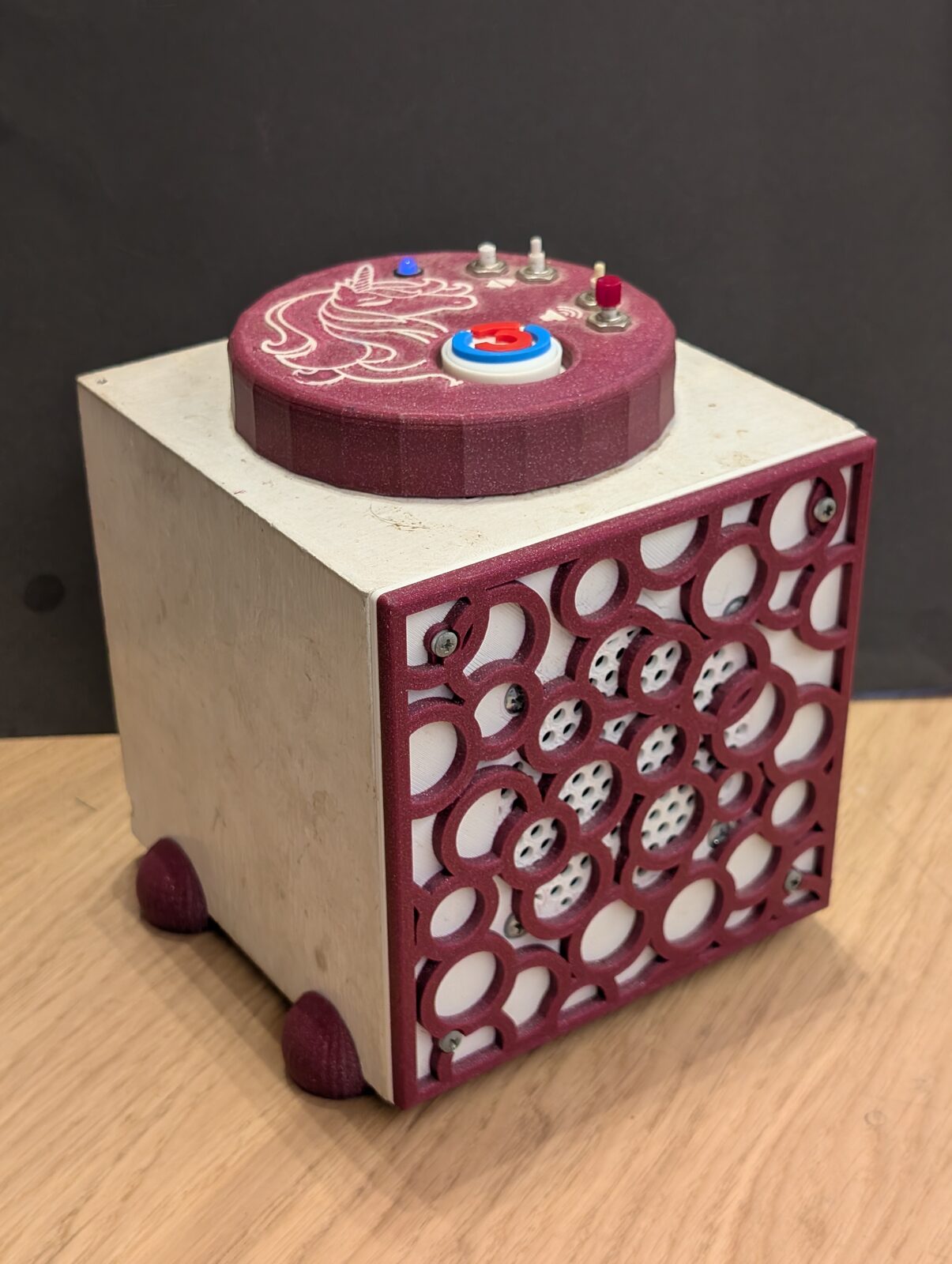
1. What Tiny Jukebox does especially well
- One library, any number of boxes.
tinyjukebox-libraryruns on a NAS or the PC and holds the tags, albums, radio stations and covers. Every box keeps a copy, fetches the albums it lacks, plays without the library, and the library shows what was played. - Updates with a way back. A push to
masterthat changes the software becomes a release. The library fetches it, a box tries the new version at its next start and goes back to the one before by itself if it fails. - Set up with one line, run like an appliance. One line on a fresh Raspberry Pi OS turns it into a box – fetched
from GitHub, or from the page of the library, which links the box to it at once. The library is a package for a
Synology NAS, a Docker image or
pip install. Backups run by a schedule, users and roles are managed on the web page. - Everything on one web page. Link tags (also by scanning them with a phone), upload albums, set radio stations and volume limits, change covers – over HTTPS, in English and German, with a REST API behind it.
- Bluetooth headset as a first-class way to listen. Pairing with a button gesture, own start volume and maximum, pause when the connection is lost, headset buttons.
- Reads reliably. The RC522 is read by a small C++ program that recovers by itself after a crash or a reset of the chip, and playback keeps its position over a power cut.
- Spotify and phones, built but not yet tried for real. A tag can also play an entry of Spotify – an album, a playlist, a podcast – through Spotify Soloist, and the app for Android makes a phone a box (app.md). Spotify is tested on the PC and has not played on a box yet; the app ran in the Android emulator, not yet on a real phone (roadmap.md, section 1).
2. Software and hardware
The software is one Python process (one systemd service) with device drivers, state machines, player and web page
that exchange messages over an in-process queue – no broker, no further services. State machines run tags, album
playback, radio, Spotify and volume. Playback is ffmpeg | aplay: the position is saved, with next/previous, pause and
internet radio stations. An entry of Spotify plays through Spotify Soloist, which the box starts with a PipeWire of
its own; its sound goes to aplay as well. The app for Android phones (app/, Kotlin) makes a phone a box: it reads
the tag with NFC and plays its album or station with the data of the library (app.md).
The software does not need a Raspberry Pi or a particular amplifier. Our own box happens to be a Raspberry Pi 3 with an RC522, four buttons, an RGB LED and a Pimoroni Audio Amp SHIM; that is the platform we built and tested, not a requirement of the application.
- Sound: any ALSA device and mixer control, set in the config. The Audio Amp SHIM is not mentioned in the code.
- Core: state machines, player, web page, REST API and library are plain Python on Linux; they run on a PC
without any hardware (
--no-hardware), which is also how the tests run. - Drivers: buttons, LED, RFID reader and Bluetooth are drivers selected and wired in the config (drivers.md); the pins are config, not code.
- RFID reader: the driver starts any program that prints
ready,tag <UID>andremoved, one per line (rfid-reader.md). The C++rfid-readerfor the RC522 on a Raspberry Pi is the one we ship; another reader or another board needs only such a program and thecommandof the driver. - What is tied to the Pi today: the shipped GPIO drivers (
rpi-lgpio) andrfid-reader(SPI through bcm2835). Bluetooth uses BlueZ and BlueALSA, which are not specific to the Pi.
The box runs the released version of its slot and works with the library on the NAS. The web page and the user documentation are English and German; code and developer documentation are English.
3. History
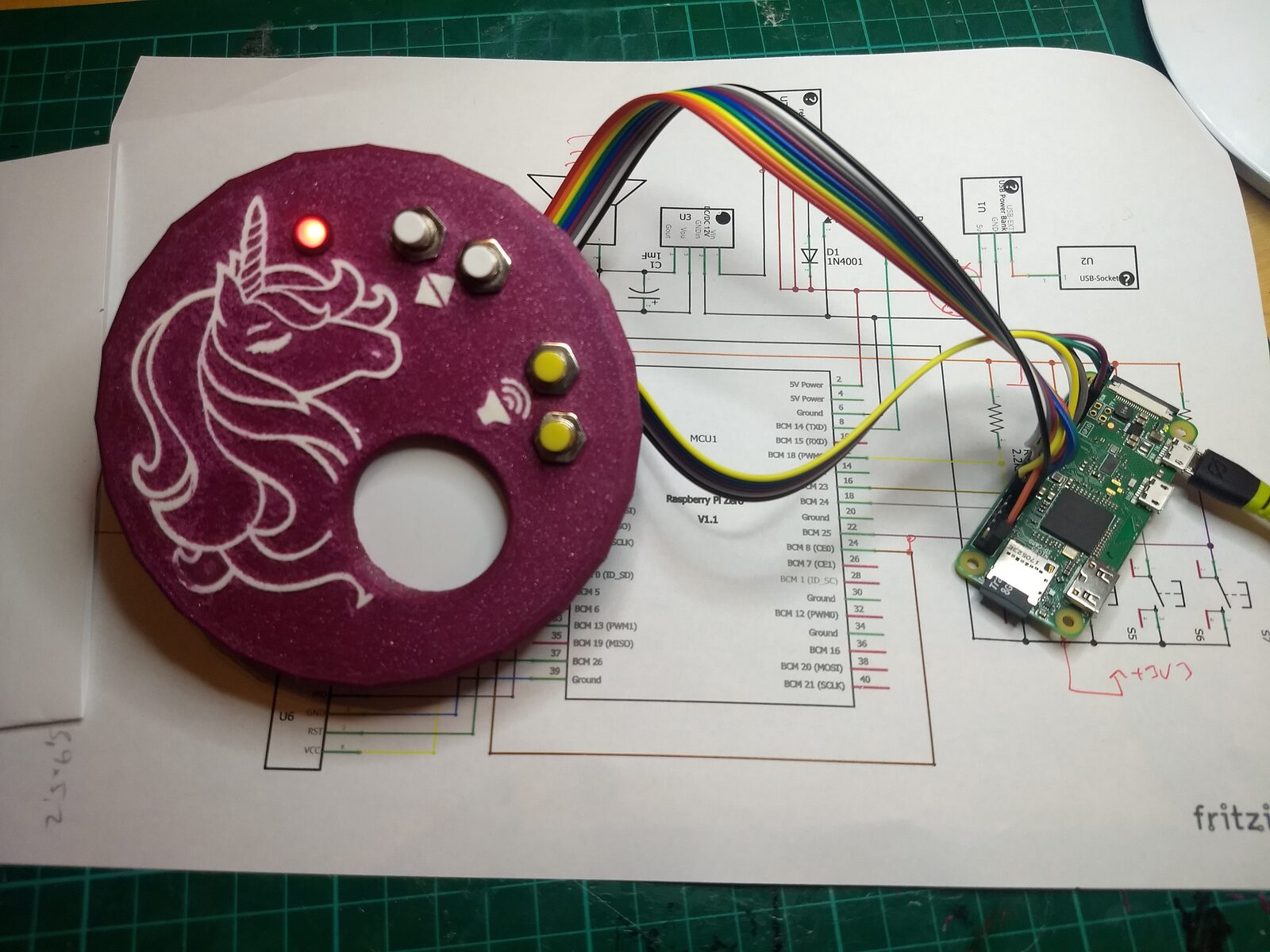
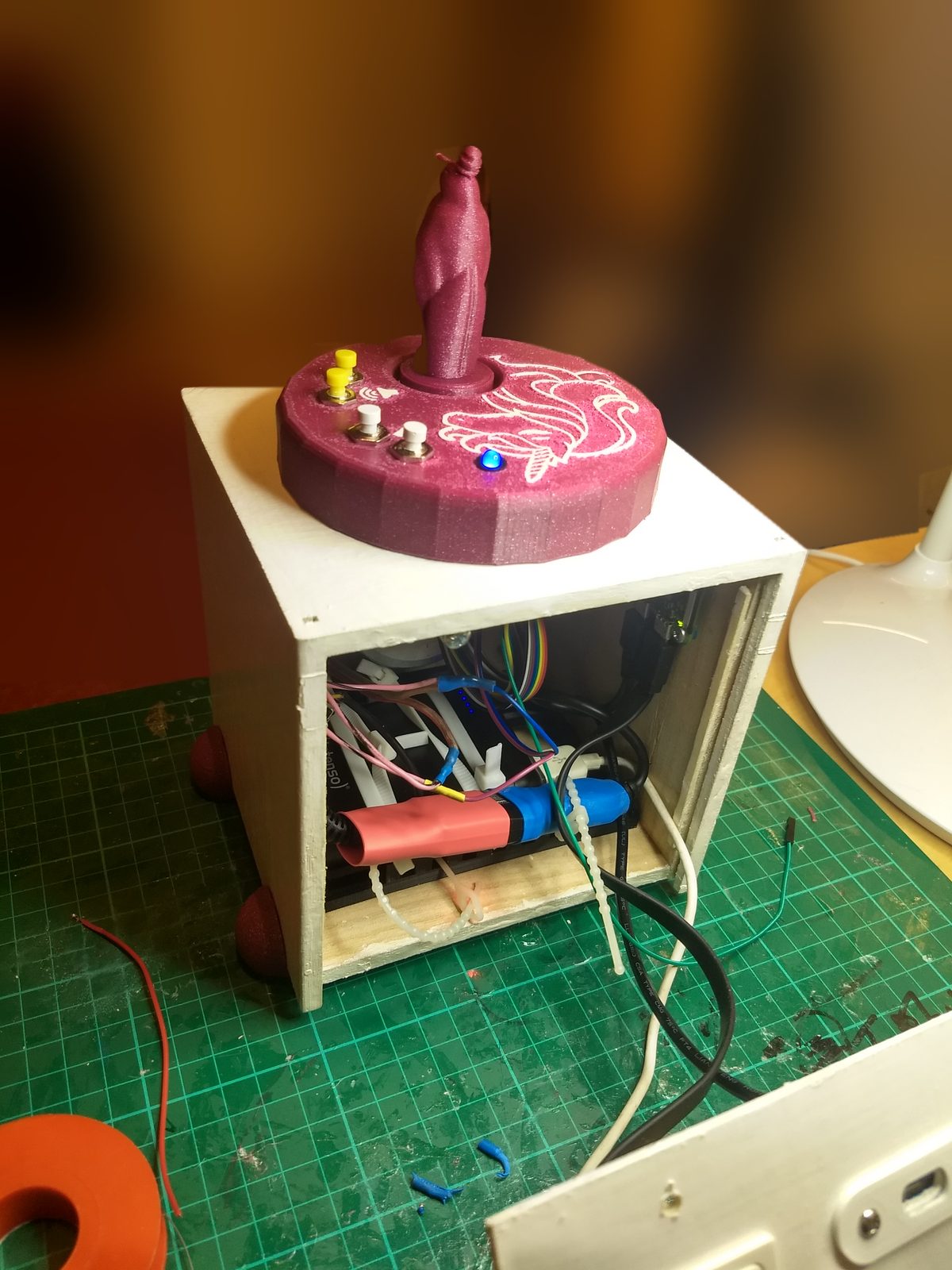
The first box was built for Christmas 2019: RFID, presence detection and four buttons, from the start. The
circuit and the printed parts are in hardware/; the software has been rebuilt several times
since. The changelog tells the story from 2018 on.
| The lid on its circuit, December 2019 | The first box at work, a figure on the lid as tag |
|---|---|
 |
 |
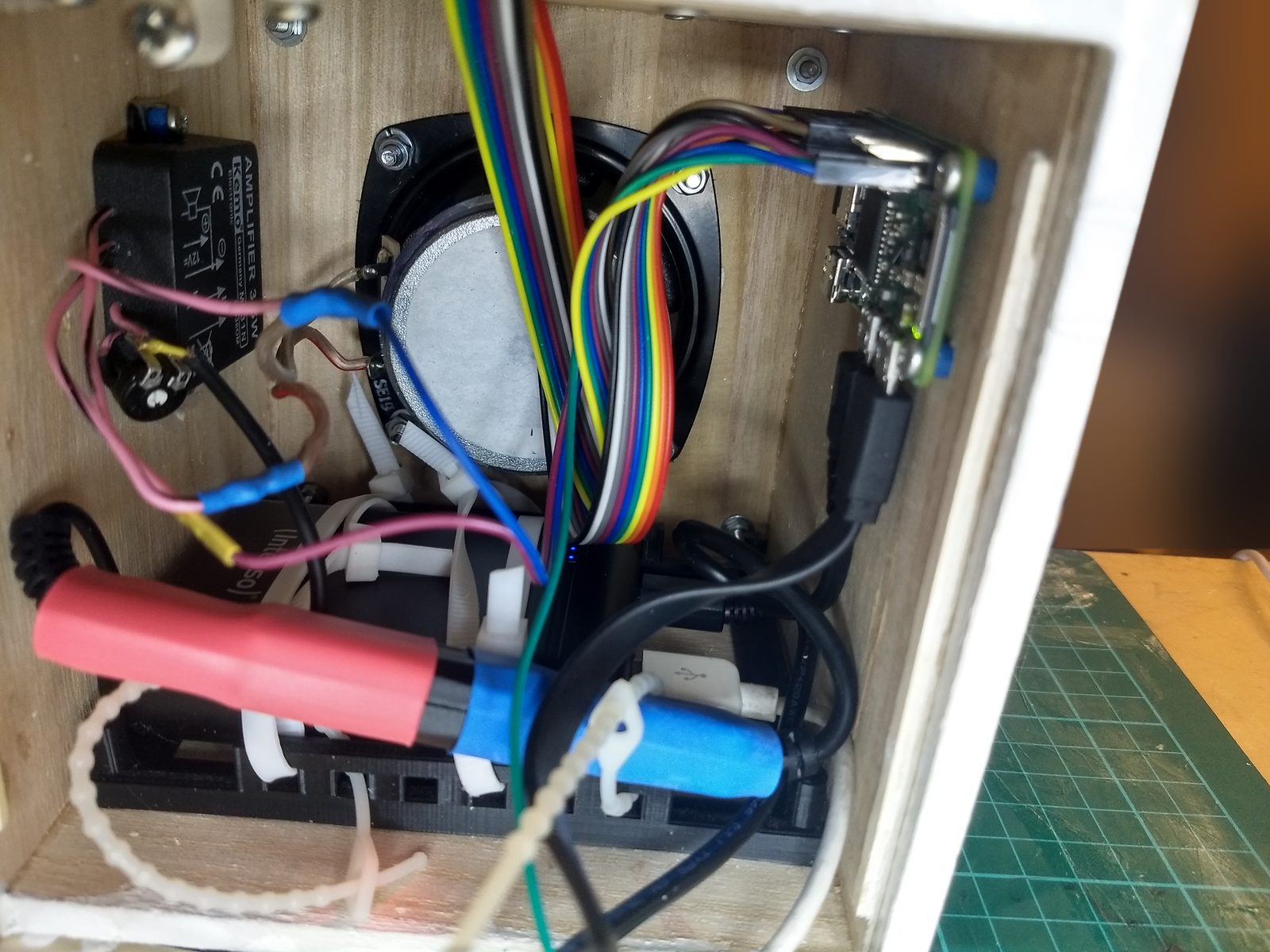
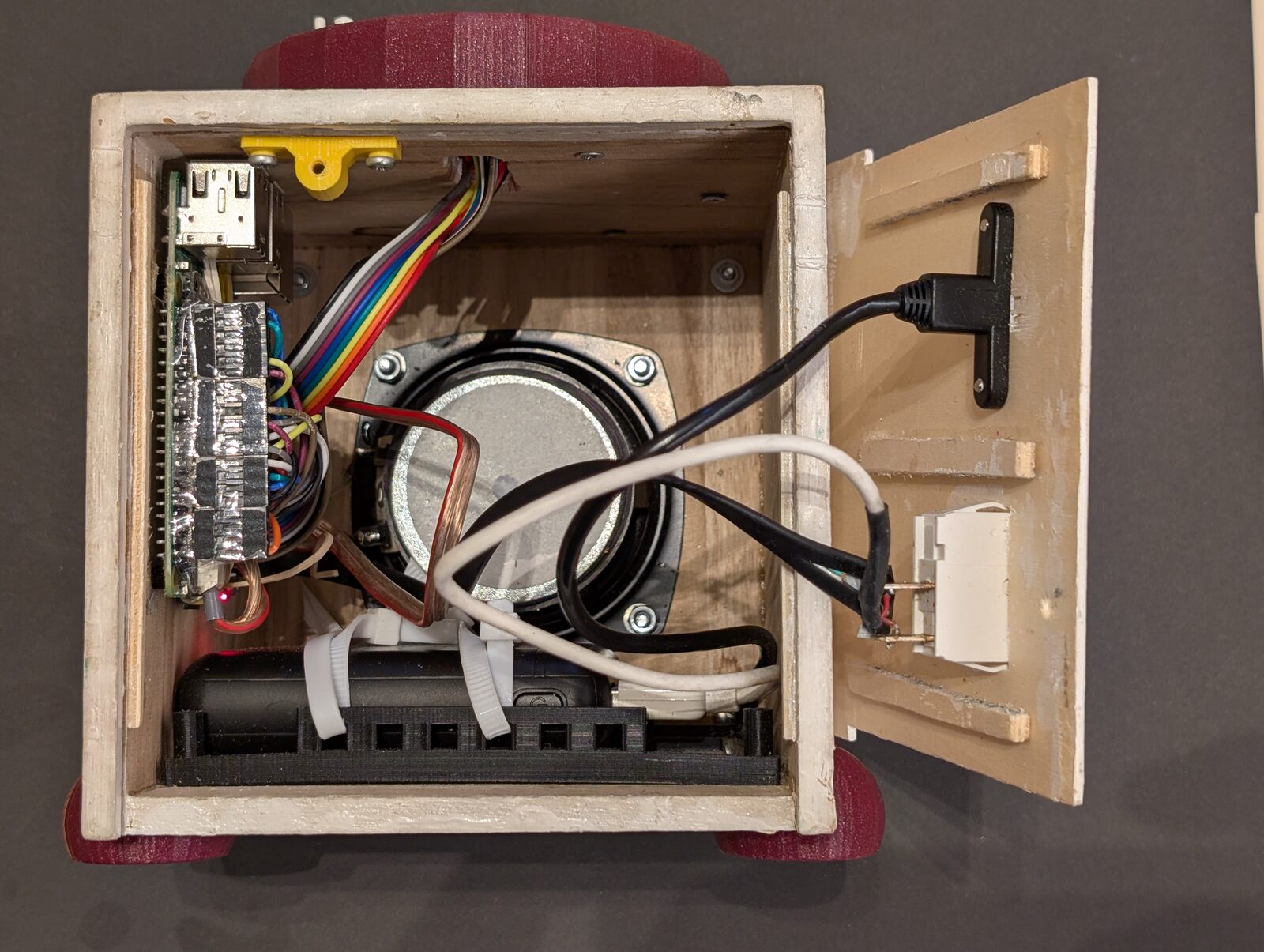
The hardware has changed as well, while the box stayed in use:
| Inside in 2019: Pi Zero, separate amplifier, power bank | Inside today: Pi 3 with the Audio Amp SHIM, power bank |
|---|---|
 |
 |
4. Documentation
All documents as one site, with search and a menu by reader: https://tgd1975.github.io/tinyjukebox/.
4.1 For users and administrators (English and German)
| Document | Content |
|---|---|
| Quick guide: English, Deutsch | text of the quick guide card (A6, two sides): tags, buttons, LED, headset; web page |
| Manual: English, Deutsch | the full manual: operating the box, LED, pause, Bluetooth headset, web page, MP3 albums, radio, Spotify, volume limits, users, troubleshooting, library |
| Administration: English, Deutsch | setting up a box and the library, updates, users and access, backups, logs, configuration, troubleshooting – the complete details in the developer documents below |
4.2 For developers and hardware, the complete details for administrators (English)
| Document | Content |
|---|---|
| Architecture | components, state machines, volume, player, headset logic, data model, messages, framework, threads, latency measurement |
| Drivers | driver framework, buttons, LED, RFID driver, Bluetooth stack and driver |
| rfid-reader | the C++ program that reads the RC522: interface, read loop, design decisions, build, tests |
| REST API and web page | server, authentication, roles, endpoints, server-sent events |
| Configuration | command line, all keys of the config file |
| The box | hardware, pins, operating system, audio, file layout, service, robustness, decisions |
| Library, synchronization and self-update | the library on the NAS or the PC with its package, synchronization of the boxes and phones, the phone as reader, self-update with slots, play statistics, release pipeline, test bed, tests |
| The app | the app for Android phones: simple mode (a phone as a box), expert mode (the page of the library), pairing, presence of a tag, the cache of albums, Spotify, delivery, the code |
| Deployment | how software and setup reach the box, Ansible playbook, roles, variables, first setup, updates, changes on the box, acceptance checklist |
| Operations | service, logs, users, albums, console, latency, diagnostics, backups |
| Development | setup, the box on the PC, repository layout, dependencies, tests, quality checks, conventions, releases, the app, the documentation site |
| Style guide | name, logo, colours, type, shapes, the light of the box, how the documents are written |
| Open points and roadmap | what is not verified yet, known gaps, envisioned changes |
Reference files: example config, config of the box, config schema. Hardware: circuit and printed parts, key data and data sheets.
5. Quick start
A box: write Raspberry Pi OS Lite (64-bit) with the Raspberry Pi Imager, log in over SSH and run
curl -fsSL https://github.com/tgd1975/tinyjukebox/releases/latest/download/install.sh | sudo bash
(deployment.md, section 5). Library and a box without hardware to try it, with
Docker – the two passwords are files next to compose.yaml:
cd deploy/docker && openssl rand -hex 12 > admin-password && openssl rand -hex 24 > bootstrap-password
docker compose up -d   # https://localhost:8866/ and https://localhost:8443/, user admin, the password in admin-password
or with Python: pip install tinyjukebox, then tinyjukebox-library --data ~/library and
tinyjukebox --data ~/box --no-hardware --no-audio (library.md, section 3.9).
Development, on the PC, without hardware:
uv sync --all-groups
cp docs/config.example.yaml my-config.yaml                      # adjust the paths
uv run tinyjukebox -c my-config.yaml --no-hardware --no-audio   # web page: https://localhost:8443/
Checks:
uv run pytest --cov                     # tests (need ffmpeg; no sound card, no Pi hardware)
uv run ruff format --check . && uv run ruff check . && uv run mypy
Library and box on the PC: ./start_library.sh and ./start_sim.sh
(library.md, section 3.8).
Bring a change to the box: raise the version, add a section to CHANGELOG.md, push to master. The workflow
publishes the release and the box installs it by itself (development.md,
section 8). System setup and config of our box come from the playbook, which runs the installer of the clone:
./update_box.sh
Prerequisite: uv. The project uses Python 3.13 (package: ≥ 3.11).
6. Licence
The code of this repository is under the MIT licence (LICENSE.txt); for the circuit see
hardware/README.md.
The files of a release contain software of others that is not in the repository: the slot archive for the boxes
(tinyjukebox-box-…), the package of the library for the NAS (tinyjukebox-library-…), which brings a slot and the
app along, and the app for phones (tinyjukebox-app-…).
| Software | In | Licence |
|---|---|---|
| Python (python-build-standalone) | slot | PSF-2.0; the libraries built into it have their own licences |
| mutagen | slot, package | GPL-2.0-or-later |
| jsonschema with attrs, referencing, rpds-py and jsonschema-specifications; PyYAML | slot, package | MIT |
| tantamount, asyncscheduler (our own) | slot, package | MIT |
| segno | slot, package | BSD-3-Clause |
| Kotlin standard library, kotlinx.serialization; AndroidX (core, activity, webkit and what they need); Media3 (ExoPlayer, session) with Guava; ZXing and ZXing Android Embedded; Spotify App Remote SDK (fetched from Spotify's release on GitHub, checked by its checksum) with Gson | app | Apache-2.0 |
| typing-extensions | package | PSF-2.0 |
| dbus-fast | slot | MIT |
| rpi-lgpio | slot | BSD-3-Clause |
| lgpio | slot | Unlicense (public domain) |
| pyalsaaudio | slot | PSF-2.0 |
bcm2835, linked into rfid-reader |
slot | GPL-3.0 |
RPi-MFRC522, compiled into rfid-reader |
slot | Unlicense (public domain) |
Python and the Python packages of others bring their licence texts along (python/lib/python3.13/LICENSE.txt, the
folders *.dist-info/licenses/); those of bcm2835 and RPi-MFRC522 are in the slot next to rfid-reader
(bin/rfid-reader-licenses/); the app shows the Apache licence in its settings. app/gradle/libs.versions.toml names
the libraries of the app and their versions. The sources: uv.lock names the Python packages and their versions,
deploy/ansible/group_vars/all/main.yaml the versions of bcm2835 and RPi-MFRC522 and where they come from,
cpp/rfid-reader/ is the source of rfid-reader itself. This is a description, not a legal opinion.
7. Repository
| Folder | Content |
|---|---|
src/tinyjukebox/, tests/ |
the application and its tests |
app/ |
the app for Android phones (Kotlin, Gradle): a phone as a box, and the page of the library (docs/developer/app.md) |
cpp/rfid-reader/ |
the RFID reader program of the box (C++), built with the slot of a release; licenses/ holds the licence texts of the two libraries it is built with |
deploy/ |
config, service units, the slot scripts of a box, the Ansible playbook that sets up the box, the package of the library for the NAS |
scripts/ |
builds the slot, the installer, the image and the app of a release, the steps of the workflow, checks of both web pages, the documentation site (site/), trust.sh (the keys of DSM and of the library that the scripts on the PC accept) |
*.sh in the root |
start_sim.sh, start_library.sh (box and library on the PC), update_box.sh (playbook), build_package.sh, fetch_release.sh, update_library.sh (the package onto the NAS), release.sh (push, merge, install), import_covers.sh |
docs/ |
documentation; docs/hardware/ holds the key data of the components and the links to their data sheets, docs/images/ the photos of the box and the logo |
hardware/ |
the circuit of the box and printed parts |
The repository holds everything that belongs to the box and changes together. It has one version number
(pyproject.toml), set as git tag vX.Y.Z. What is deliberately not in the repository is listed in
development.md, section 3.